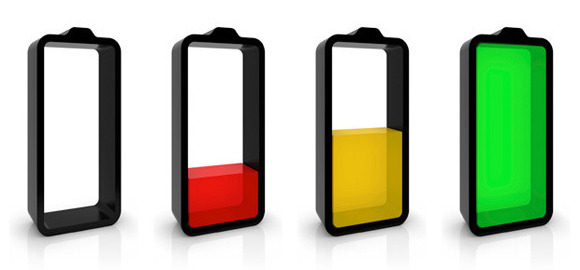
Which laptops have the lengthiest battery life of them all?

Whether you own a powerhouse gaming notebook or a super-light Ultrabook, your laptop doesn’t amount to a hill of beans if it doesn’t offer good battery life. The idea behind the notebook PC is that it should let you work and play on the go, but if you constantly have to plug it in to juice it up, that defeats the purpose of owning such a portable device in the first place.

Battery life is one of the biggest factors that determine whether a laptop should be sought after or set aside by consumers. With that in mind, we put together this rundown of the laptops with the best battery life out there.

How we test battery life

We measure laptop battery life using the Peacekeeper Web browsing benchmark, which leans heavily on JavaScript. JavaScript is a commonly used programming language that’s found in content strewn about all over the Internet, making Peacekeeper a solid way to evaluate laptop endurance. We also tune down every display’s brightness to about 100 lux. Most people don’t keep their monitors and laptops at full luminosity, so to us, 100 lux sounds about right as far as typical user settings go.

Without further delay, here are the notebooks with the best battery life.

Which laptops have the best battery life?

5. HP Slatebook 14

The HP Slatebook 14 is a unique resident on this list, because it’s the only one that doesn’t run Windows. It’s not a Chromebook either.

The Slatebook 14 is actually an Android-powered laptop, which we don’t see often. While we’re not fans of Android when it’s housed in a traditional computing form factor, we do have to give credit where credit is due.

HP SlatebookThe Slatebook 14 handily outperformed many of our Windows-based review units in the battery life department to the tune of six hours and 52 minutes in Peacekeeper.

On top of that, when we reviewed it, it cost a measly $430. That includes a 1080p display, along with a solid keyboard, and a black/yellow exterior that reminds us of Batman’s costume.

Since then, HP has slashed the price to $400, as of this writing.

4. Lenovo ThinkPad X240

This isn’t the only ThinkPad on the list, which is a testament to the fact that Lenovo’s line of business notebooks are built to endure the rigors of a typical workday.

The Lenovo ThinkPad X240 lasted seven hours and 33 minutes (with help from an extended battery) in our Peacekeeper benchmark, but it brings much more to the table than endurance alone.

Lenovo Thinkpad X240 angled openFor instance, its luminous IPS display makes it easy to see stuff on screen, and the system is well built also. On top of that, it features a large wrist rest and touchpad, along with an excellent keyboard. The latter item is something the ThinkPad series has been famous for.

Good thing the X240 is sturdy too, because its warranty only lasts for one year, while competing models offered more when we reviewed this laptop.

3. Dell XPS 13

Though the Dell XPS 13 doesn’t come close to offering the best battery life that today’s laptops have to offer, it boasts a complete package of features and components that are so solid, it earned a Digital Trends Editors’ Choice award from us.

For starters, the system’s body is attractive, and well built, consisting of a carbon fiber shell reinforced by silver accents. Plus, it’s easy to carry around, weighing only three pounds.

Dell XPS 13 Ultrabook frontIn our Peacekeeper Web browsing test, the Dell XPS 13 lasted seven hours and 48 minutes. That’s an excellent score, especially considering that it packs a 1080p resolution display.

The XPS 13 is available in multiple configurations. The $1,200 model includes an Intel Core i5 processor, 8GB of RAM, and a 128GB SSD. That should be more than enough to handle just about any workload you throw at it.

2. Acer TravelMate P645

The Acer TravelMate P645 is thin, easy to carry around, offers a plethora of ports, and also one of the longest-lasting laptops that have come through our offices.

TravelMate-P645The P645 took eight hours and two minutes to take a nap while running our Peacekeeper test. What’s more, it doesn’t conserve battery life by skimping on its internals and wielding low-power Atom hardware. The P645 we tested was loaded with an Intel Core i7 CPU, which got excellent SiSoft Sandra and 7-Zip processor benchmark scores.

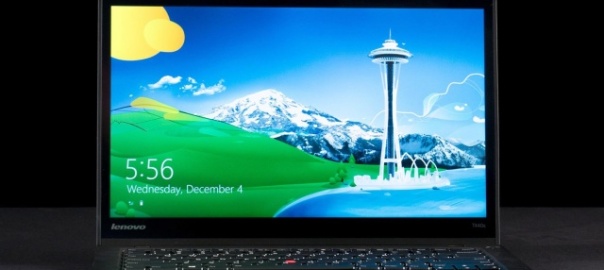
1. Lenovo ThinkPad T440s

If you want a laptop that might be a descendent of the Energizer Bunny, go for the Lenovo ThinkPad T440s.

This unit, with an extended battery, lasts a whopping 14 hours and 32 minutes on a single charge. That absolutely crushes everything we’ve tested in recent memory.

Lenovo T440s frontoffsetOn top of that, the T440s boasts a fantastic keyboard, though the touch-pad is problematic. Our review unit packed a solid slate of specs, including an Intel Core i5 processor, 8GB of RAM, and a 128GB SSD. That should be more than enough to get you through the workday, whether you’re multitasking from nine to five, or laboring by the moonlight.

Google Chrome Has Been Draining Laptop Batteries for Years

If you’re running Windows 7 or earlier on a laptop and you use Google Chrome as your Web browser, your battery is being unnecessarily drained.

With Windows 8 and later, the problem no longer exists, and thanks to a recent report in Forbes, Google itself has finally committed to fixing the issue, which it has known about for six years.

The reason Chrome has been killing battery life and slowing down laptop performance is that it forces the Windows system clock tick rate to 1 millisecond, where the default is 15.625ms. This is the frequency at which the processor responds to requests from programs. Internet Explorer, by contrast, only increases the tick rate if the browser is engaged in constant activity such as streaming video. Chrome ups the rate even if it’s just showing a blank page.

The bug has been elevated to priority 1 on the Chromium project site, indicating that its resolution is a requirement before the next version of the browser can be released to the public. Windows 8 users aren’t affected by the issue, because that newer operating system, like Mac OS X and Linux, dispenses with the clock tick strategy, instead allowing the CPU to run at a low-power mode until called upon.

The Chrome bug tracking site points to a Microsoft Dev Center page that notes that setting the system clock tick rate to 1ms could reduce battery life by as much as 25 percent. Another Microsoft Dev Center page I found, however, states that “a single application that increases the platform timer resolution can decrease battery life by 10 percent.” Whichever number is correct, it’s a programming strategy that could mean the difference between your laptop lasting for the whole flight or not.

PCMag sister publication Geek.com states that Google and Chrome aren’t alone in flouting the coding best practice of keeping the clock tick at the system default when a speedup isn’t needed. It’s also the case that the tick rate is sped up systemwide, not just for the offending app.

So if you run Windows and need your battery to last, you have a few options: (1) Use another browser such as Firefox or Internet Explorer (since Opera now shares all of Chrome’s underlying code, switching to that won’t help); (2) Upgrade to Windows 8.1; or (3) wait for the next version of Chrome to be released.

Google Chrome Has Been Draining Laptop Batteries for Years

If you’re running Windows 7 or earlier on a laptop and you use Google Chrome as your Web browser, your battery is being unnecessarily drained.

With Windows 8 and later, the problem no longer exists, and thanks to a recent report in Forbes, Google itself has finally committed to fixing the issue, which it has known about for six years.

The reason Chrome has been killing battery life and slowing down laptop performance is that it forces the Windows system clock tick rate to 1 millisecond, where the default is 15.625ms. This is the frequency at which the processor responds to requests from programs. Internet Explorer, by contrast, only increases the tick rate if the browser is engaged in constant activity such as streaming video. Chrome ups the rate even if it’s just showing a blank page.

The bug has been elevated to priority 1 on the Chromium project site, indicating that its resolution is a requirement before the next version of the browser can be released to the public. Windows 8 users aren’t affected by the issue, because that newer operating system, like Mac OS X and Linux, dispenses with the clock tick strategy, instead allowing the CPU to run at a low-power mode until called upon.

The Chrome bug tracking site points to a Microsoft Dev Center page that notes that setting the system clock tick rate to 1ms could reduce battery life by as much as 25 percent. Another Microsoft Dev Center page I found, however, states that “a single application that increases the platform timer resolution can decrease battery life by 10 percent.” Whichever number is correct, it’s a programming strategy that could mean the difference between your laptop lasting for the whole flight or not.

PCMag sister publication Geek.com states that Google and Chrome aren’t alone in flouting the coding best practice of keeping the clock tick at the system default when a speedup isn’t needed. It’s also the case that the tick rate is sped up systemwide, not just for the offending app.

So if you run Windows and need your battery to last, you have a few options: (1) Use another browser such as Firefox or Internet Explorer (since Opera now shares all of Chrome’s underlying code, switching to that won’t help); (2) Upgrade to Windows 8.1; or (3) wait for the next version of Chrome to be released.

How to extend the life of your laptop battery

Batteries don’t last forever. Like everything except diamonds and viral tweets, they eventually wear out. But with proper care, a laptop battery can still carry a sufficient charge until you’re ready to move on to a better laptop.

But it’s a tradeoff. Taking the best care of your laptop battery just may be more of a hassle than it’s worth.

So let me start with a less effective, but more practical approach:

When you’re at home, running the laptop on AC power, and you believe that it will stay plugged in for a week or more, shut down the PC and remove the battery.

Then, when you need the battery, plug it back in. If it’s been more than two months since you last used the battery, check it and charge it before taking it on the road.

Of course, you should never remove or insert a laptop battery while the laptop is running. Always shut it down first.

That’s the practical approach. Here’s the extreme care method:

For the absolute best results, never charge it past 80 percent or let it drop below 20 percent. When you’re working on AC power, keep an eye on the battery’s charging.  When it hits or passes 80 percent, shut down your computer, remove the battery, then reboot. When it’s time to take the laptop on the road, shut it down again and reinsert the battery.

And when you’re using the laptop on battery power, shut it down before the battery drops below 20 percent, and don’t start it up again until you have AC power.

As I said, probably more of a hassle than it’s worth.

One more thing: The hotter the battery, the quicker it degrades. So keep your laptop cool.

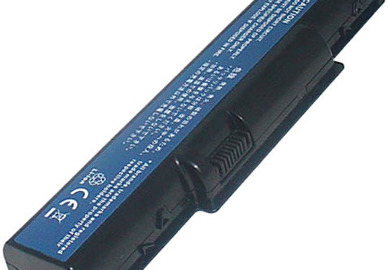
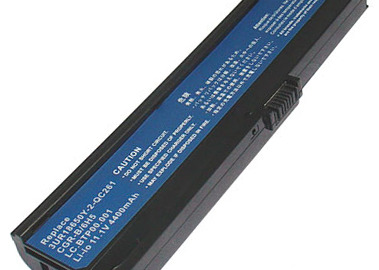
Acer Aspire 4710G 4710 Laptop Battery

Battery Type: Li-ion, Battery Volt: 11.1 V, Capacity: 4400 mAh, Battery Color: Black, Condition: 100% New, Warranty: 12 months

Replaces the Following Manufacturer Numbers:

Acer AK.006BT.020, Acer AK.006BT.025, Acer as-2007a, Acer AS07A31, Acer AS07A32, Acer AS07A41, Acer AS07A42, Acer AS07A51, Acer AS07A52, Acer AS07A71, Acer AS07A72, Acer as07a75, Acer as2007a, Acer bt.00603.036, Acer bt.00604 024, Acer bt.00604.022, Acer bt.00604.024, Acer bt.00605 020, Acer bt.00605.019, Acer bt.00605.020, Acer bt.00607 015, Acer bt.00607 019, Acer bt.00607 034, Acer bt.00607.012, Acer bt.00607.020, Acer bt.00607.034, Acer BTP-AS4520G, Acer CBI2072A, Acer LC.AHS00.001, Acer LC.BTP00.012, Acer LC.BTP00.072, Acer ms2220

Fits the Following Models:

Acer Aspire 4530-5627, Acer Aspire 5738Z, Acer Aspire 4710Z, Acer Aspire 5535, Acer Aspire 4930, Acer Aspire 4235, Acer Aspire 2930-582G25Mn, Acer Aspire 4740G, Acer Aspire 4520, Acer Aspire 4710, Acer Aspire 4230, Acer Aspire 4935G, Acer Aspire 4530, Acer Aspire 5740, Acer Aspire 4715Z, Acer Aspire 4520G, Acer Aspire 5335, Acer Aspire 4730-4947, Acer Aspire 5536, Acer Aspire 4736ZG, Acer Aspire 5542G, Acer Aspire 5236, Acer Aspire 7715Z, Acer Aspire 4935G-644G32Mn, Acer Aspire 4710G, Acer Aspire 5542, Acer Aspire 2930Z-343G16Mn, Acer Aspire 5536G, Acer Aspire 5740G-524G64Mnb, Acer Aspire 4935, Acer Aspire 2930-733G25Mn, Acer Aspire 4330, Acer Aspire 5735Z-582G16Mn, Acer Aspire 2930-593G25Mn, Acer Aspire 4730, Acer Aspire 2930G, Acer Aspire 4920, Acer Aspire 4310 Series, Acer Aspire 4530-5889, Acer Aspire 4535G, Acer Aspire 4740G-332G50Mn, Acer Aspire 4920G, Acer Aspire 4715Z-3A0512C, Acer Aspire 4540, Acer Aspire 4315, Acer Aspire 4730Z, Acer Aspire 7315, Acer Aspire 5738DG, Acer Aspire MS2253, Acer Aspire 4920G-302G25Mi, Acer Aspire 5738, Acer Aspire 4920G-3A2G16Mn, Acer Aspire 4736Z, Acer Aspire 4520-5141, Acer Aspire 5737z, Acer Aspire 5740G-336G50Mn, Acer Aspire 4720, Acer Aspire 5735Z, Acer Aspire 4736, Acer Aspire 2930, Acer Aspire 2930Z-322G25Mn, Acer Aspire 5740DG, Acer Aspire 2930-844G32Mn, Acer Aspire 5738ZG, Acer Aspire 4315-2904, Acer Aspire 4530-5267, Acer Aspire 4730ZG, Acer Aspire 4730-4901, Acer Aspire 4736G, Acer Aspire 2930Z, Acer Aspire 2930-734G32Mn, Acer Aspire 4720Z, Acer Aspire 5740G-5309, Acer Aspire 4740G- 432G50Mn, Acer Aspire 4336, Acer Aspire 4530-5350, Acer Aspire 5738PG, Acer Aspire 4730-4516, Acer Aspire 4930G, Acer Aspire 5738G, Acer Aspire 5740G, Acer Aspire 4720ZG, Acer Aspire 5735, Acer Aspire 4530-6823, Acer Aspire MS2254, Acer Aspire 4920-1A2G12Mi, Acer Aspire 4720G

Payment

Payment

What payment methods are accepted?

We Accept Payment Methods*Accepted
Paypal

Payments by paypal, no paypal account required. Paypal is safe and free for buyers.

Accepted
Credit CardVISA, MasterCard, the United States n Express, JCB, Diners Club, Maestro & Laser Card, etc.
PayPal never shares your financial information with us.
Accepted
Note:
Please key in the correct shipping address in English while checking out with PayPal, if you choose “Paypal Express Checkout” as the check out process (not supply one shipping address on our website), or the order will be shipped to your PayPal address.

No. You can pay with your credit/debit card (Visa, MasterCard, the United States n Express, and Discover)  — all without having a PayPal account. When you are redirected to the Paypal page please click the tab “Pay with a debit or credit card”.

Yes. PayPal uses SSL technology to keep your information safe. In addition, when you send a payment using PayPal, the recipient won’t receive sensitive financial information like your credit card or bank account number. In this way, you don’t have to worry about paying people whom you don’t know. PayPal is designed from the ground up to be a safer way to send money online. Your financial information won’t be sold or exposed to any merchant or retailer.

All payment processing is handled by an independent secure payment processor. irelandbattery.com is not given any payment information. Please verify the following and contact your credit card issuer if the problem persists.

  • Incorrect billing information
  • Insufficient funds
  • Card has been reported as lost or stolen
  • Card has expired
  • Card has not been activated
  • Card cannot be used to pay for goods/services in a Cardholder-Not-Present environment (online/over the internet)
  • 3-D Secure (MasterCard SecureCode and Verified by Visa) has not been activated
  • Credit limit reached

When you pay with PayPal (Credit Card or PayPal account), you gain access to a forum for dispute resolution called the Resolution Center. Through it, you can file a claim against:

  • A physical good that you paid for but never received.
  • A physical good you purchased that is significantly different than what was described in the listing.

  Dispute Resolution specialists gather information about your transaction and help you resolve the issue. Throughout the process, you’ll be advised of your claim’s status via email and on your Account Overview page.

Privacy Notice

Please read below terms and conditions carefully. By accessing this website, you should be restricted by all of them. These terms and conditions are subject to change without any advance notice, and all decision rights are reserved by us. We will notify you by posting the amendments on this website later. Please do not access this website if you do not agree with these terms and conditions.

You are strictly prohibited from any unauthorized use of this website, including misuse of user ID & passwords, plagiarism, etc.

Warranty & Refund Policy

1. We warrant that the products sold in our website, other than explicitly stated, are 100% brand new and free from defects in material and workmanship.

2. We warrant our products for 1 year under normal, non-commercial use. Defective products could be replaced if returned within a year since the date of purchase. The return must be accompanied by a Return Merchandise Authorization (RMA) number, which is to be issued upon request, and must be shipped prepaid.

3. The warranty period is a year from the date of original purchase. A replacement item, if sent, does not restart, or in any way extend the warranty period.

4. For battery pack or battery related products, cell capacity depletion over time under regular use is normal, and is not an indication of defect.

5. Our warranty does not extended to any products that are physically damaged or that are not under normal operating conditions as a result of misuse or improper installation on the buyer/user’s part.

6. Where applicable, all requests for warranty returns must be accompanied by a proof of purchase and be made through the dealer or outlet where the battery pack was originally purchased.

7. If you change your mind and want to return the item for a refund, you can contact our customer services department and obtain a Return Merchandise Authorization (RMA) number within fifteen (15) days of purchase. Return within thirty (30) days from purchase can be for exchange, credit or refund at our discretion. NO REFUND accepted after 30 days of receipt.

8. A product returned for refund or exchange must be in its original packaging, and it must be complete, and undamaged. Customer is responsible for shipping charges on returned items. For your protection, we strongly recommend that you insure your return shipment against loss or damages, and that you use a shipper that can provide you with proof of delivery.

9. This warranty does not extend to devices, such as computers or cameras that are powered by our battery packs. We shall not be held responsible for the improper use of our product(s).

Warranty and Return Policy for all the clearance promotional items would be revised as follows:

9. This warranty does not extend to devices, such as computers or cameras that are powered by our battery packs. We shall not be held responsible for the improper use of our product(s).

Warranty and Return Policy for all the clearance promotional items would be revised as follows:

• 90 days warranty is provided for promotional items from the date of original purchase under normal and non-commercial use. Replacement items, if issued, do not restart or in any way extend the warranty period.

• All items if returned for whatever reasons must be accompanied by a Return Merchandise Authorization (RMA) Number, which is to be issued upon request. Items returned without RMA# will delay the process or be ignored.

• If you are not satisfied with our product(s), please contact us to obtain a RMA Number within 15 days of purchase. And products must be returned 100% complete, including all components, original boxes and packing materials, manuals, and other accessories provided by the manufacturer. We reserve the right to charge a 10% restocking fee for NON-DEFECTIVE returns.

• A replacement will be arranged for all defective products returned, subject to verification of defect. However, products returned must be 100% complete.

• Refund request would be accepted ONLY when replacement items are not available.

Non-Acceptance Policy

Order acceptance and the completion of the contract between you and us will take place on the dispatch to you of the Products ordered, unless we have notified you that we do not accept your order, or you have cancelled it in accordance with the instructions in How to Cancel and Order.

Non-acceptance of an order may be a result of one of the following:
• The product you ordered being unavailable from stock
• Our inability to obtain authorisation for your payment
• The identification of a pricing or product description error
• Your failure to meet the eligibility to order criteria set out in the main Terms and Conditions”

Copyright notices

The works of authorship such as all designs, graphics, texts, and images stated in this website, are reserved by batterylaptops.co.uk. Without the official agreement from the owner, these materials should not be copied, transmitted, displayed, distributed, or reproduced illegally for any business or commercial purposes.

Website content and information

ou can use the data source from this website personally if you must follow our terms and conditions. However, if you involve in any data exchange activity with a third party, you are not allowed to download, print out or re-distribute the data anymore whatsoever. No materials and information posted on this website may be reproduced, stored in a retrieval system, or transmitted, in any form or by any means, electronic, mechanical, photocopying, or re-distributed to another person or identity. You are supposed not to engage in any activities related to this website that are contrary to applicable laws, regulations, terms and conditions that you have agreement with us. You should agree that you will not use any automatic devices like robot or spider or manual process to monitor or copy our web pages for any unauthorized purpose without our prior permission.

Limitation of liability

Our suppliers or we may delete or make changes in the information, products or services described herein at any time without prior notice to you and without any liability to you. We reserve the right to terminate any or all website offerings without prior notice.

We disclaim all warranties and representations of any kind with regard to the website, including any implied warranties of merchantability, non-infringement of third party rights, freedom from viruses or other harmful codes, or fitness for a particular purpose;

We do not guarantee the accuracy, adequacy, or completeness of the information and materials included in the website. We expressly disclaim liability for errors or omissions in the materials and information;

We will not be liable for any delay, difficulty in use, computer viruses, malicious codes or other defects in this website, any incompatibility between the website and the users’ files and the users’ browser or other site accessing program, or any other problems encountered by the users due to causes beyond our control.

All of our products are guaranteed against defects for 30 days since the shipment date otherwise expressly stated herein, we disclaim all warranties, or expressions of any kind with respect to products sold on this website. You agree that the sole and exclusive maximum liability to our website arising from any product sold shall be the price of the product ordered. Furthermore, in no event shall our website, affiliates and any third party data providers are liable to special, indirect, consequential, or punitive damages related to products sold.

Security

Your security is our top priority. We are dedicated to keep your account information safe and secure. You can complete your payment through Paypal, which both adopt an advanced secure socket layer (SSL) in our website that can make your transaction safe and secure. However, it does not mean that we will be responsible for the confidentiality of your account and password. Therefore, please make sure that you keep your password safe. If you are under 18, all of your transactions must be made under the supervision of your parents or guardians.

Privacy

You acknowledge that we may disclose and transfer any information that you provide through this Website to (i) any company within the ultrabook-battery.net for carrying out or sending information about our new products and promotions to you or (ii) if we have the right or obligation to disclose or are permitted or compelled to disclose such kind of information by law.

Shipping Policy

We do not exclude the possibility that our products may run out of stock in our warehouse. In this case, we reserve the right to ship the products from Hong Kong without any additional fees.
If the shipping method is different from what you selected, we could refund you the price difference on postage.

We use the information you provide when shopping on our Site to process your orders, to keep you updated on your orders and to personalize your shopping experience. In order to most efficiently serve you, credit card transactions and order fulfillment. They receive the information needed to verify and authorize your credit card and to process your order. They are under contractual obligation to keep your personal information private and are not permitted to use or share your information for their own purposes including marketing. We use your email address to send you our newsletters if you ask to be placed on our list.

Laptop Battery

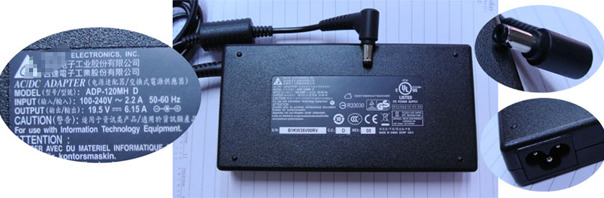
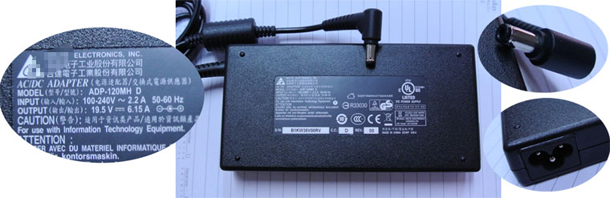
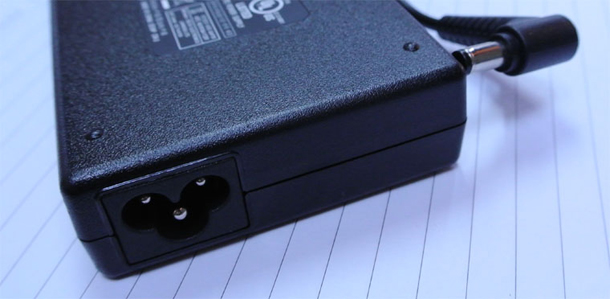
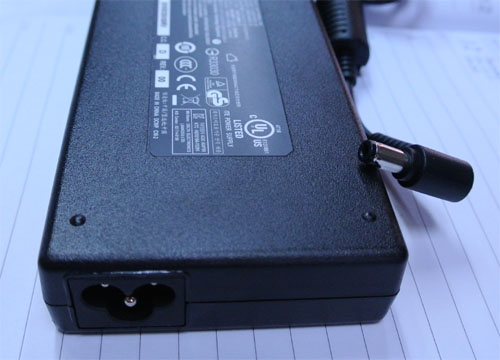
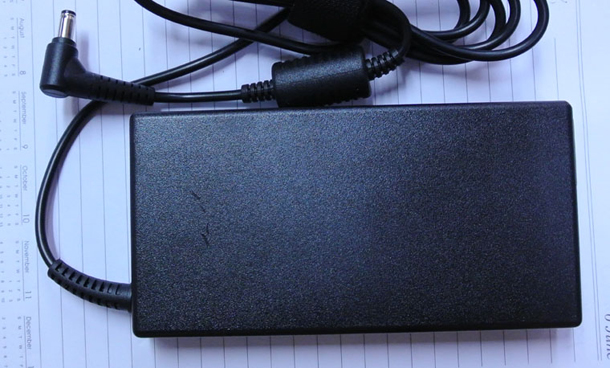
DELTA 19.5v 6.15A 120W AC Power Adapter

Genuine DELTA 19.5v 6.15A 120W AC Power Adapter

Input: 100-240V ~ 4.4 A- 50/60Hz

Output : 19.5V / 6.15A 120W

Connecter Size: 5.5mm*2.5mm

ADP-120MH-D(1)ADP-120MH-D(2)ADP-120MH-D(3)ADP-120MH-D(4)

This “DELTA 19.5v 6.15A 120W AC Power Adapter” is rigorously tested, meets or exceeds original laptop ac adapter’s specifications, brand new with 1 year warranty. Our AC Adapter has ±1V Voltage allowance.

Acer LC.BTP00.00 Aspire 3054WXCi Battery

Battery Type: Li-ion, Battery Volt: 11.1 V, Capacity: 4400 mAh, Battery Color: Black, Condition: 100% New, Warranty: 12 months


Replaces the Following Manufacturer Numbers:

Acer 3UR18650Y-2-QC261, Acer CGR-B/6H5, Acer LC.BTP00.001, Acer LIP6220QUPC SY6

Fits the Following Models:

Acer Aspire 3684WXCi, Acer Asprie 3680 Series, Acer Aspire 3683WXMi, Acer Aspire 3682NWXC, Acer Asprie 5570 Series, Acer TravelMate 2483WXMi, Acer Asprie 3050 Series, Acer Aspire 3054WXCi, Acer Aspire 5053NWXMi, Acer Aspire 5572AWXMi, Acer TravelMate 2480-2698, Acer Aspire 5052ANWXMi, Acer TravelMate 3273WXMi, Acer Asprie 5050 Series, Acer Aspire 5583WXMi, Acer TravelMate 2480 Series, Acer Aspire 5584WXMi, Acer Aspire 5051AWXC, Acer TravelMate 2482WXMi, Acer TravelMate 3270 Series, Acer Aspire 5583NWXMi, Acer TravelMate 4310, Acer TravelMate 3262WXMi, Acer Aspire 5573ZWXMi, Acer Aspire 5570AWXC, Acer TravelMate 3262, Acer TravelMate 3261AWXM, Acer TravelMate 2480-2196, Acer TravelMate 3270-6569, Acer TravelMate 2484WXMi, Acer TravelMate 2480-2968, Acer TravelMate 3274WXMi, Acer Aspire 5051AWXMi, Acer Aspire 5585WXMi, Acer Aspire 5575ZNWXMi, Acer Aspire 5570Z, Acer Aspire 5053WXMi, Acer Aspire 5051ANWXMi, Acer Aspire 3684NWXMi, Acer TravelMate 3260WXMi, Acer TravelMate 3242NWXMi, Acer Asprie 5580 Series, Acer Aspire 5052NWXMi, Acer Asprie 3682WXMi, Acer TravelMate 3260 Series

Sample Page

This is an example page. It’s different from a blog post because it will stay in one place and will show up in your site navigation (in most themes). Most people start with an About page that introduces them to potential site visitors. It might say something like this:

Hi there! I’m a bike messenger by day, aspiring actor by night, and this is my blog. I live in Los Angeles, have a great dog named Jack, and I like piña coladas. (And gettin’ caught in the rain.)

…or something like this:

The XYZ Doohickey Company was founded in 1971, and has been providing quality doohickeys to the public ever since. Located in Gotham City, XYZ employs over 2,000 people and does all kinds of awesome things for the Gotham community.

As a new WordPress user, you should go to your dashboard to delete this page and create new pages for your content. Have fun!

Progress Bar & Pie Chart

Progressbar Code

Progress bar

[ progressbar]
[ tm_progressbar color=”FFFFFF” background_color=”E76453″ value=”80″ show_percentage=”yes | no” style=”1 | 2 | 3 “]
Web Development
[ /tm_progressbar ]
[ /progressbar ]

Progressbar

Style One

Web Development80%
Marketing & PR 64%
Web Designing 70%
Consulting 45%

Style Two

Web Development
Marketing & PR
Web Designing
Consulting

Style Three

Web Development 80%
Marketing & PR 64%
Web Designing 70%
Consulting 45%

Style Four

Web Development 80%

Marketing & PR 64%

Web Designing 70%

Consulting 45%

Piechart Code

Pie Chart

[ tm_piechart background_color=”#E76453″ percentage=”15″ title=”Praesent magna”] CONTENTS [ /tm_piechart ]

Pie Chart

Praesent magna

Nunc molestie dolor nec magna fermen atum in pharetra orci mollis. Nam tempor diam elit fermen atum in pharetra orci mollis.

Conse viverra

Nunc molestie dolor nec magna fermen atum in pharetra orci mollis. Nam tempor diam elit fermen atum in pharetra orci mollis.

Nunc molestie

Nunc molestie dolor nec magna fermen atum in pharetra orci mollis. Nam tempor diam elit fermen atum in pharetra orci mollis.

Magna fermen

Nunc molestie dolor nec magna fermen atum in pharetra orci mollis. Nam tempor diam elit fermen atum in pharetra orci mollis.